Cargo Pro Courier Management System
Manage Your Courier Business from Shipment Creation to Final Delivery
Running a courier and delivery company requires coordination between customers, branches, employees, drivers, and shipments.
Cargo Pro is a courier management system designed to help delivery companies organize their daily operations, manage shipments, monitor delivery progress, and provide customers with shipment tracking services.
Griffin Tech helps businesses evaluate, install, configure, and implement Cargo Pro according to their courier and logistics operations.
What Can You Manage with Cargo Pro?
1. Shipment Management
Create and manage customer shipments.
Record sender and recipient information.
Manage shipment details and delivery destinations.
Calculate shipping charges based on configured rules.
Monitor shipment status throughout the delivery process.
Manage shipment returns where supported.
2. Customer Management
Maintain customer accounts and contact information.
Allow customers to register and access their accounts.
Enable customers to request shipments.
Provide shipment tracking access.
Review customer shipment history.
3. Branch Management
Manage company branches.
Organize shipment operations across different locations.
Coordinate branch activities.
Review branch-related reports.
4. Driver & Employee Management
Manage drivers and company employees.
Assign operational responsibilities.
Organize shipment handling workflows.
Control employee access and permissions.
5. Shipment Tracking
Provide customers with shipment tracking pages.
Allow shipment searches using supported tracking information.
Display shipment progress and status.
Provide a shipment tracking widget for the website.
6. Shipping Calculator
Calculate shipping costs using configured rates.
Configure shipping costs by area and destination.
Support weight-based shipping calculations.
Apply customer-specific shipping costs where configured.
7. Notifications & Customer Communication
Configure SMS notifications through supported providers.
Use the available WhatsApp notification feature.
Notify relevant users at different stages of the shipment workflow.
Configure notification recipients and permitted actions through dynamic workflows.
8. Reports & Business Monitoring
Shipment reports.
Delivery mission reports.
Transaction reports.
Branch reports.
Customer reports.
Driver reports.
9. Website & Portal Management
Manage website homepage content.
Select and customize available website themes.
Manage website pages and menus.
Publish company news and articles through the blog module.
Configure multiple languages and currencies.
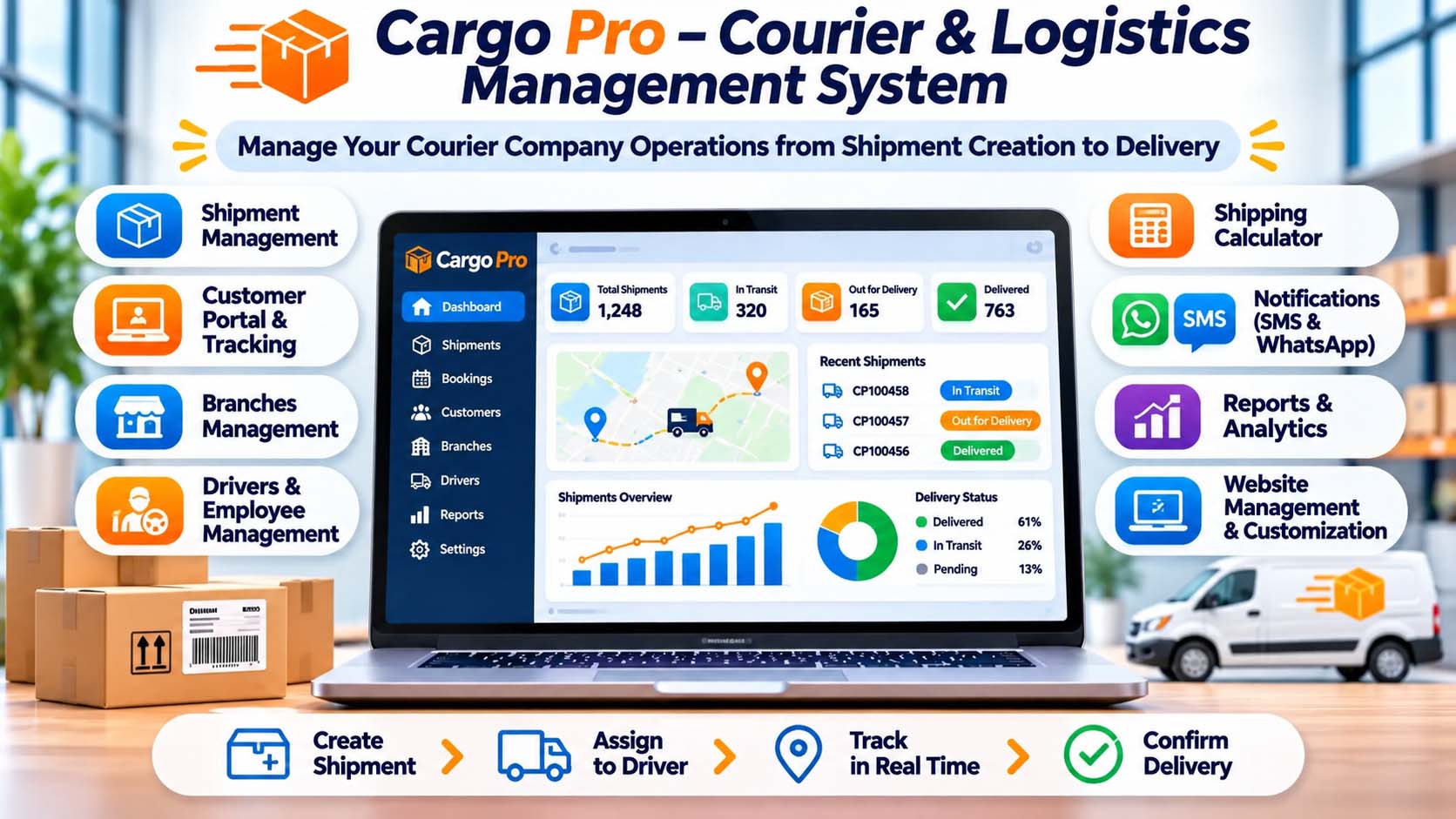
How Cargo Pro Supports Your Courier Operations
Cargo Pro helps organize the shipment process through a connected operational workflow:
A customer or employee creates a shipment.
Shipment information is recorded in the system.
The shipment is assigned and handled according to the configured workflow.
Relevant employees or drivers receive their assigned tasks.
Shipment progress is updated during the delivery process.
Customers can follow their shipments through the tracking page.
The company can review shipment activity and operational reports.
The exact workflow depends on the company’s operational structure and system configuration.
Why Choose Griffin Tech?
Griffin Tech helps businesses select and implement technology solutions that support their daily operations.
We understand that a courier management system must do more than register shipments. It should help organize the work between customers, branches, employees, and drivers.
Our implementation services include system installation, configuration, workflow setup, website customization, and technical support.
Our Implementation Process
Business Requirements Analysis
Understand your courier services, delivery areas, branches, and operational procedures
System Evaluation
Review Cargo Pro capabilities against your business requirements
Installation & Hosting Setup
Prepare the hosting environment and install the system
Company Configuration
Configure company information, currencies, languages, and general setting
Branch & Employee Setup
Configure branches, employees, drivers, and access permissions
Shipping Configuration
et up shipping rates, delivery areas, weight rules, and customer-specific costs where required
Workflow Configuration
Define shipment statuses, responsibilities, and notification rules
Customer Portal Setup
Configure customer registration, shipment requests, and tracking pages
Website Customization
Configure the selected theme, pages, menus, and company information
Testing & Validation
Test shipment creation, assignment, tracking, calculations, notifications, and reports
Training & Launch
Train the relevant employees and launch the system
Technical Support
Provide assistance and maintenance according to the agreed support scope
Is Cargo Pro Right for Your Business?
Cargo Pro may be suitable for:
Courier and delivery companies.
Local shipping businesses.
Companies managing multiple delivery branches.
Businesses coordinating shipments through drivers and employees.
Logistics operators that need customer shipment requests and tracking.
Companies looking to organize shipping operations through a web-based system.
Before implementation, we recommend reviewing your delivery workflow, required integrations, mobile application needs, and reporting requirements.
Manage Your Courier Operations with Cargo Pro & Griffin Tech
Whether you are starting a courier business or improving an existing delivery operation, Griffin Tech can help you evaluate and implement a suitable courier management system.
Contact Griffin Tech to discuss your courier management requirements.
